Assembly line inefficiency, scattered data and infrastructure,
broken record keeping, inaccurate instructions, shift handoff,
inventory tracking and ordering, QA, communication
Solution:
Build a single point solution on iPad, new data structure,
real-time communication system
Assessment included 5 days shadowing 8 assembly line worker across 3 shifts, Interviewed
3 supervisors and 2 inventory workers. Spoke with data architects to get an understanding
of limitations and possibilities
Workflow Design:
Developed feature outines estimating feature design/build cycles and timelines
Prototyping
Created early exploration of feature sets and presented them to 4 sets of users.
Gathered feedback on initial concepts and made iterations, repeated this cycle
Visual Design:
Created the design and look n feel. syling and estetics
Design QA:
Reviewed builds on iPad device and coordinated with developers on Visual
and functionality changes.
This project was done before figma and the use of AI. My workflow has changed
dramatically. The cores I haven’t changed is face to face user interview importance,
direct customer feedback, heuristic evals. My tools in the process has changed
and has sped up the product design cycle.
“Wish I had everything all in one place,
and be able to keep it with me
on the assembly line”
Ken, assembly
Problems, Research Findings
2-4
hr
avg
Spent looking
up Information
90
min
avg
Spent waiting o communication
Stationary Computers
Workers are constantly leaving work area
to look something up.
Scattered Records
No one single place to keep Documents,
no naming conventions.
Nearly impossible to find what your looking for
No Real Time Data Syncing
System data needed organized and accessible, system was a mix of patches of data sets, needed rebuilding.
Solutions
Dashboards
User type Dashboards for quick summaries,
task outlines, risk managements
Document Space
Document annotations, camera input, personalized
instructions or notes to add to steps or processes
Messaging, Calls
Direct communication with workers,
supervisors, file sharing
Workflow Breakdown
Workflow steps that included timer, instructions, tools,
documents, communication, inventory tracking
Revised Search
New database structure allows for unified
deep search by tags and keywords
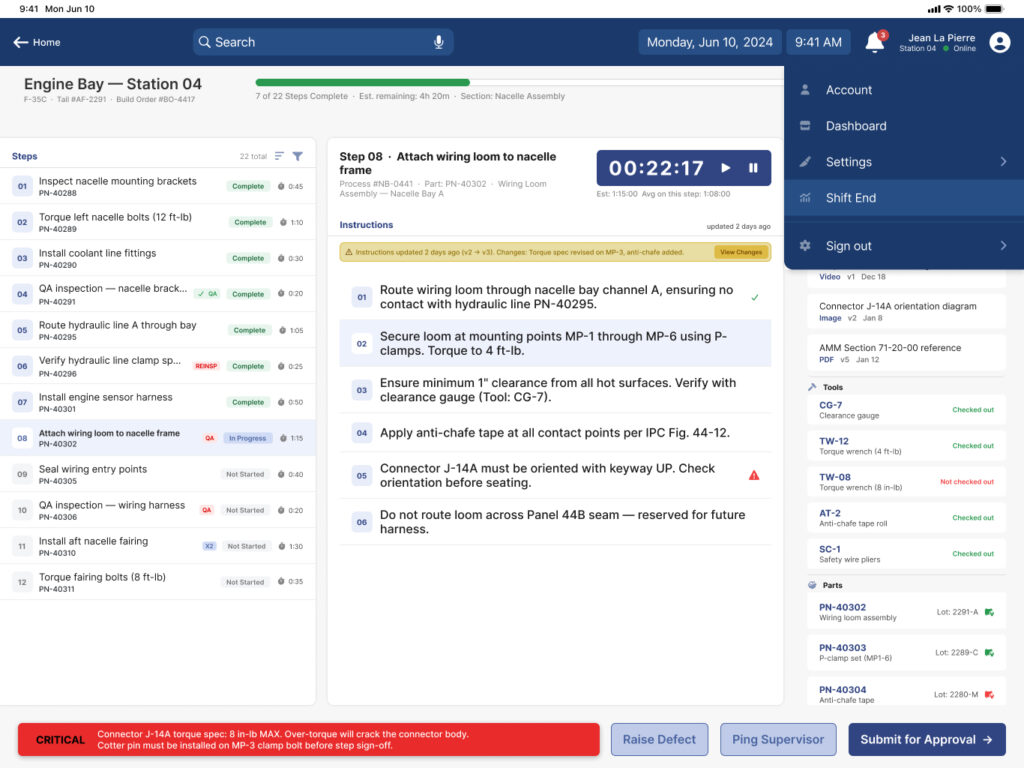
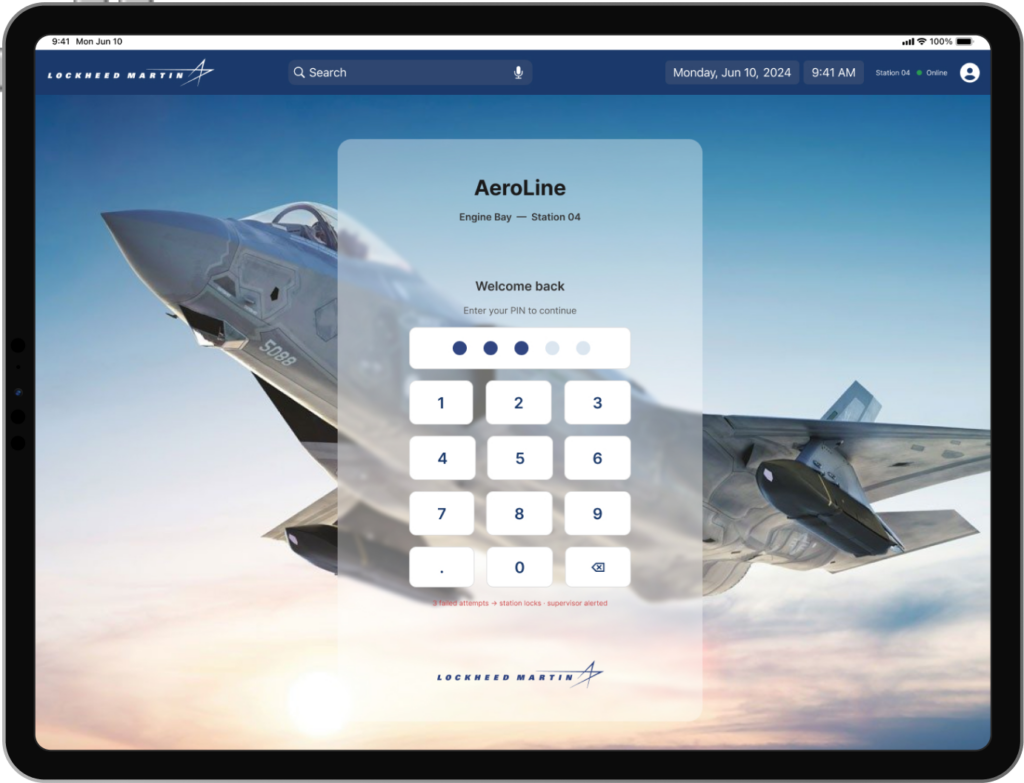
Account, PIN signin
New database structure allows for unique PIN sign in, can
assign training, track efficiency, time off and adjust work
schedules by manager.
Access to training documents, OCEA standards, safety protocals
Shift Handoff
Allows information to be recorded and passed on
easily to next shift, automated instead of spoken
and lost in translation
Part Tracking
Inventory tracking including status, part numbers,
order numbers, safety tracking, tied into work forcasting
and assembly dependency
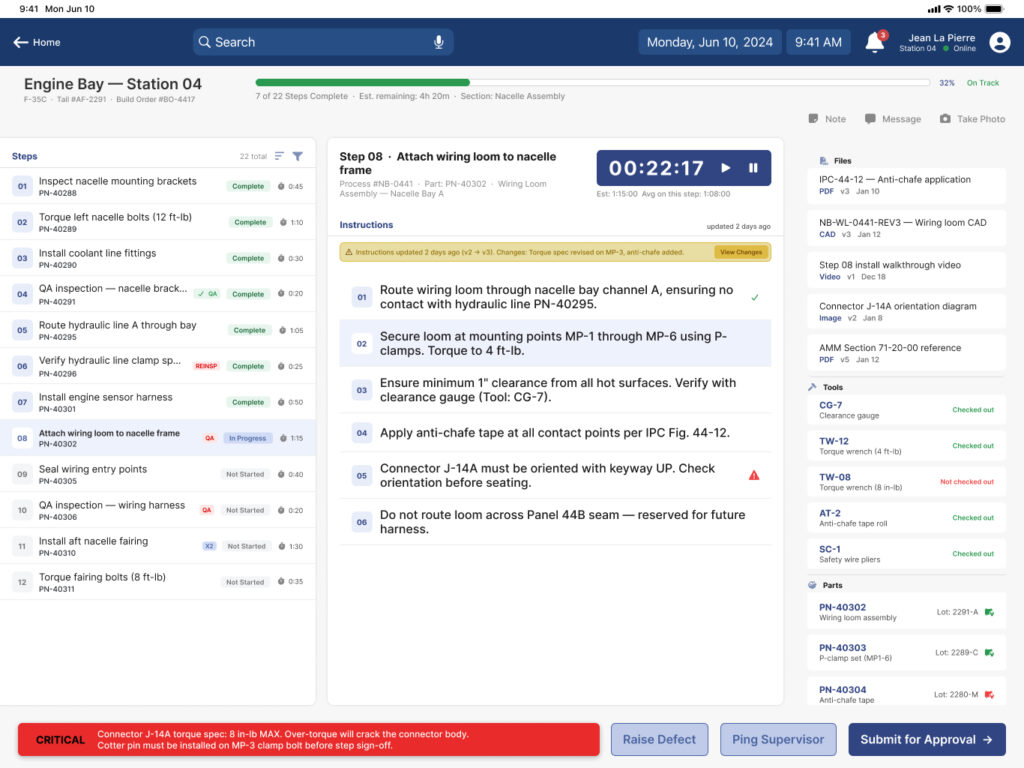
Assembly Line Worker Dashboard
IA
Feature Set
Thought Process
I wanted the screen to give as much information to the viewer about their job as possible. This typically goes against the premise that you give the user only the information needed at the time. I broke away from that as this screen is their dashboard. Dashboards are an overview for seeing operations as a whole.
In this case I wanted the worker to see what steps are taken to complete the assembly section. What needs inspection to move forward, Inside the steps are task and a user can break down any part of their work into detail. Their may be documents or specific instructions related to each task or step.
I wanted the user to not have to guess what they need to complete the task, what parts are there or not there, tools, documents, the ability to ask some one questions, send completed task to QA for approval. The ability to take pictures and add them to the task or step.
Assembly Line Worker Dashboard
Thought Process
I wanted the screen to give as much information to the supervisor about the day to day projects that are under his umbrella. He can see tiles and then click on a tile and see the details. he can see his task and what he needs to address.
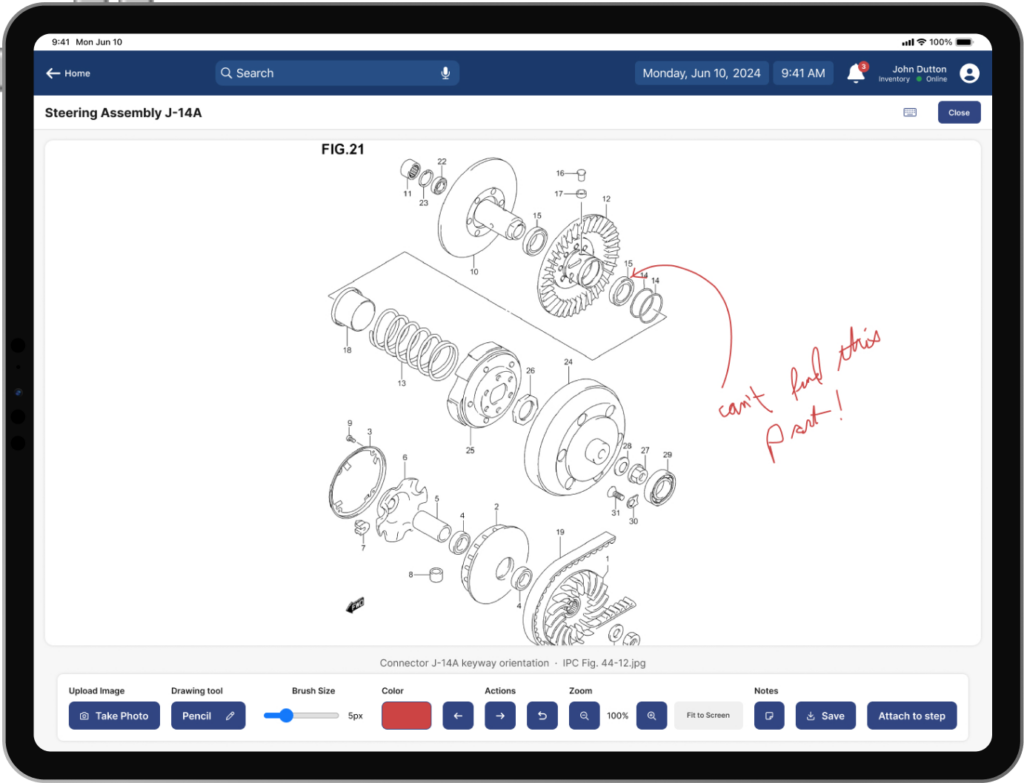
Document Editing
Thought Process
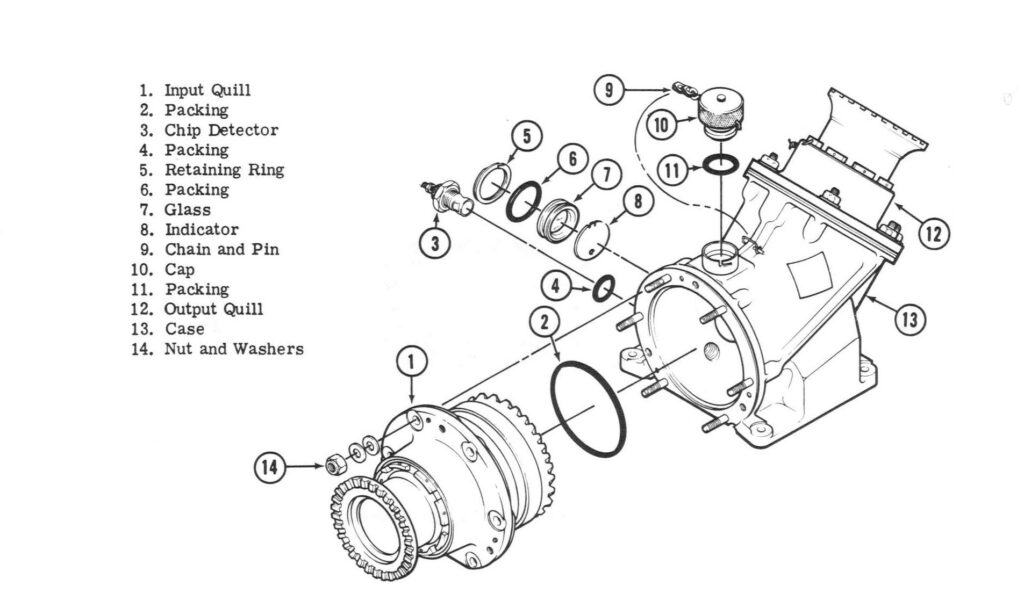
The customer only wanted the ability to see images, possibly zoom in and see detail if there were any. They also wanted to be able to see all of a batch of images or documents that were attached together.
I proposed the ability for workers to write notes on an image. You could toggle them on or off. The ability to take photos and add them to a specific image as an annotation or a document or a process.
A worker could have the ability to see any newly added notes or images. Who added them and when. This ability was for accountability and tracking.
What didn't make the cut
I also proposed the ability to see part numbers and stock that was outlined in the image. This idea was too complex with the hundreds of thousand parts and numbers. We shelfed this idea but everyone thought this could be useful in the future.
With the help of AI I think that this idea could be easier to implement in todays product building.
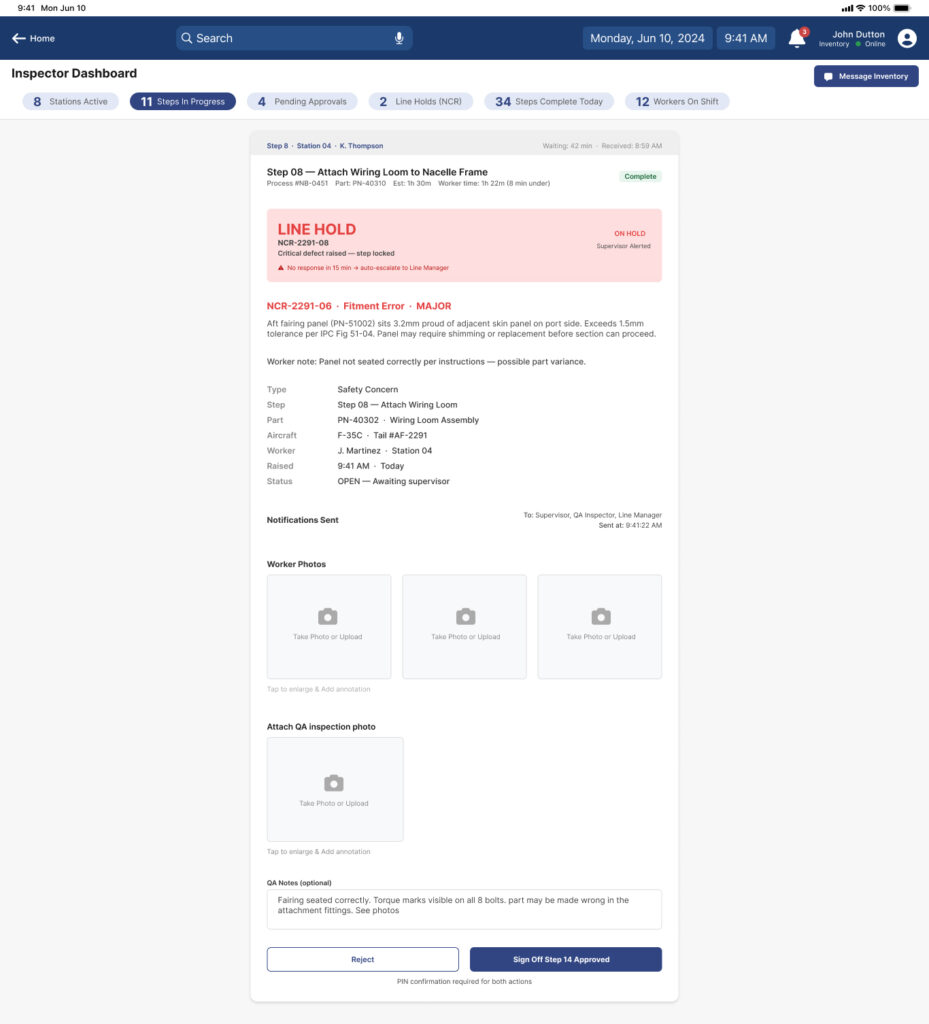
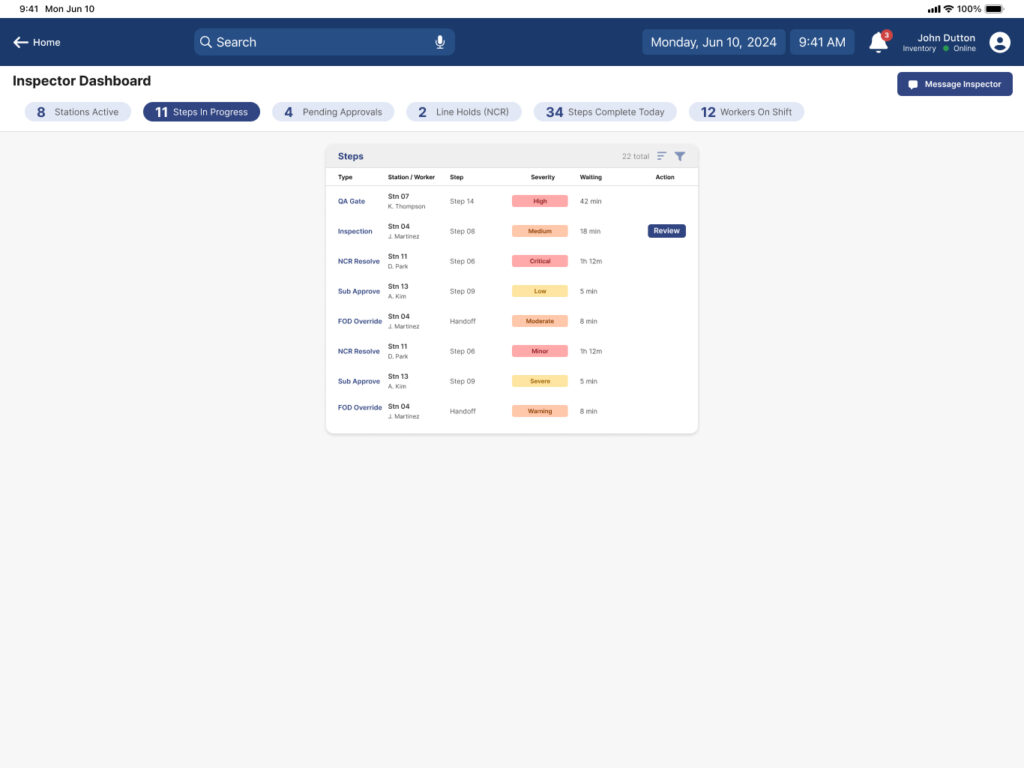
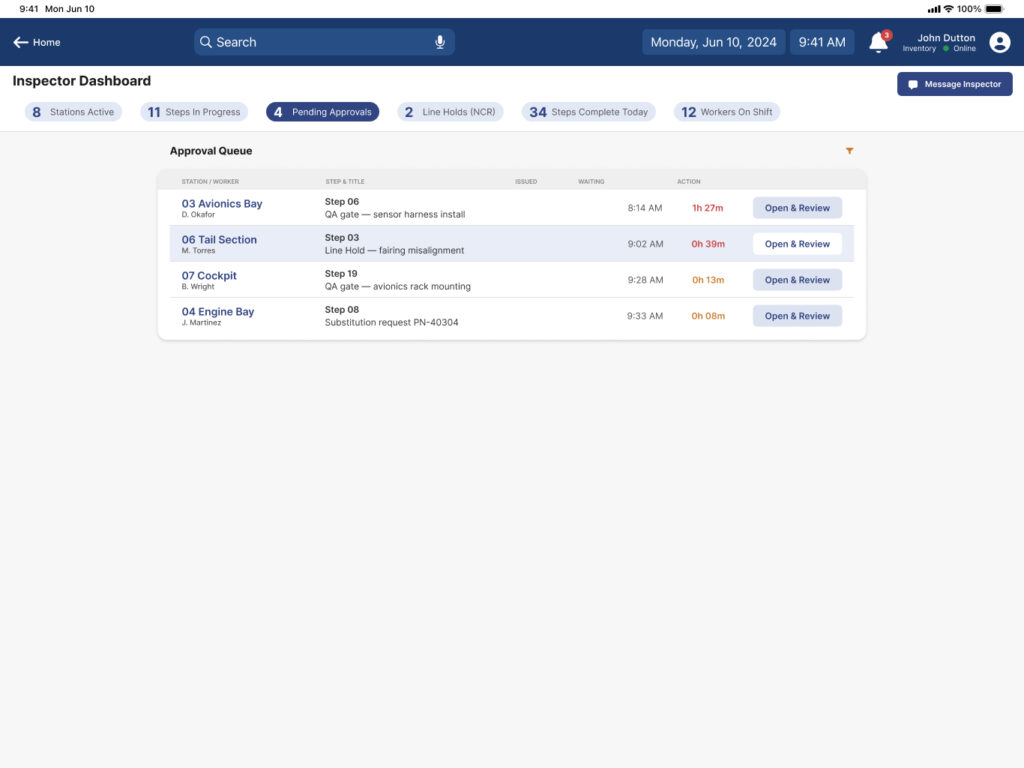
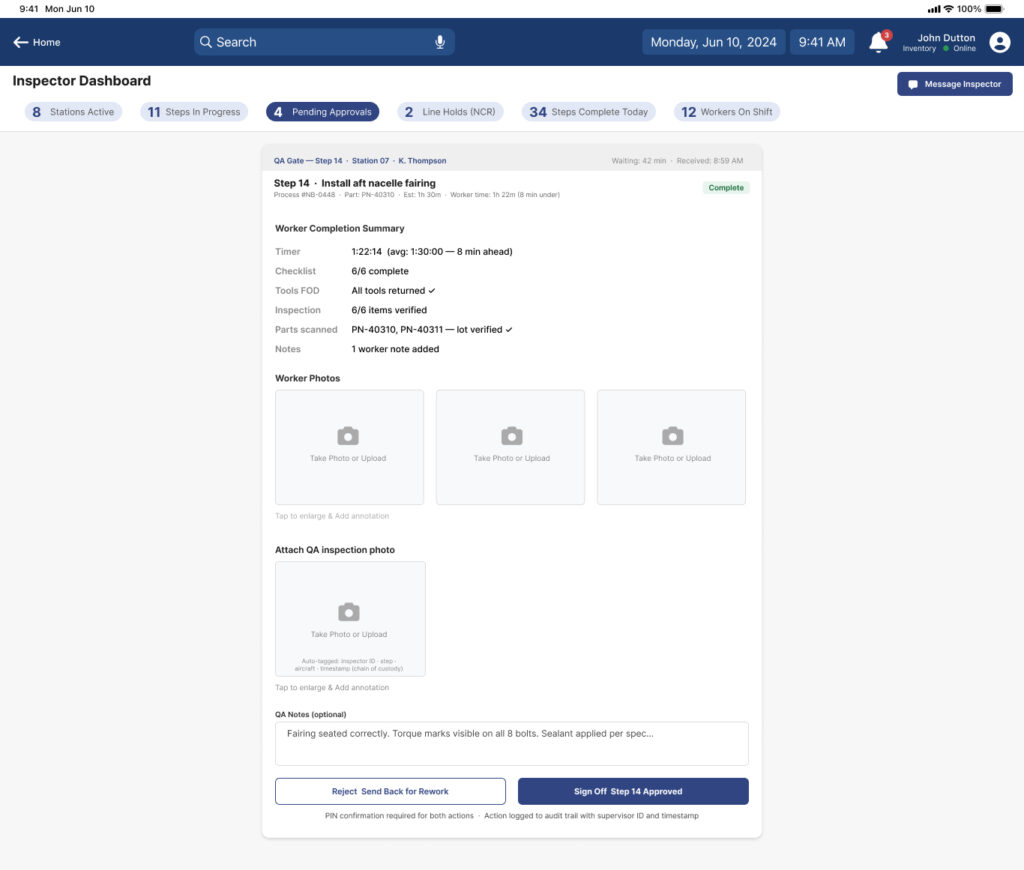
Inspector screens
Measures of Success
Reduce assembly task completion time Reduce errors Increase document orginazation, creation, and naming efficiency Improve communication Make training easier Support inventroy department effiency Reduce switching between tools